
 Watch demo
Today  Google synced
Forms walkthroughElena P.
Spouse documents reviewLiam O.
Retainer discussionCarlos M.
Join meetingToday, at a glance
Join a meeting or jump to the client's workspace from the Today panel.
Calendar & meetings
Schedule Google Meet, Zoom or Microsoft Teams meetings from the client's workspace. Clients get a professional invite with the join link, and everything lands on your calendar.
7-day free trial. Cancel anytime.
Connected
Pick a default platform; RCICMASTER does the scheduling.
Google MeetZoomMicrosoft TeamsGoogle Calendar WhatsApp
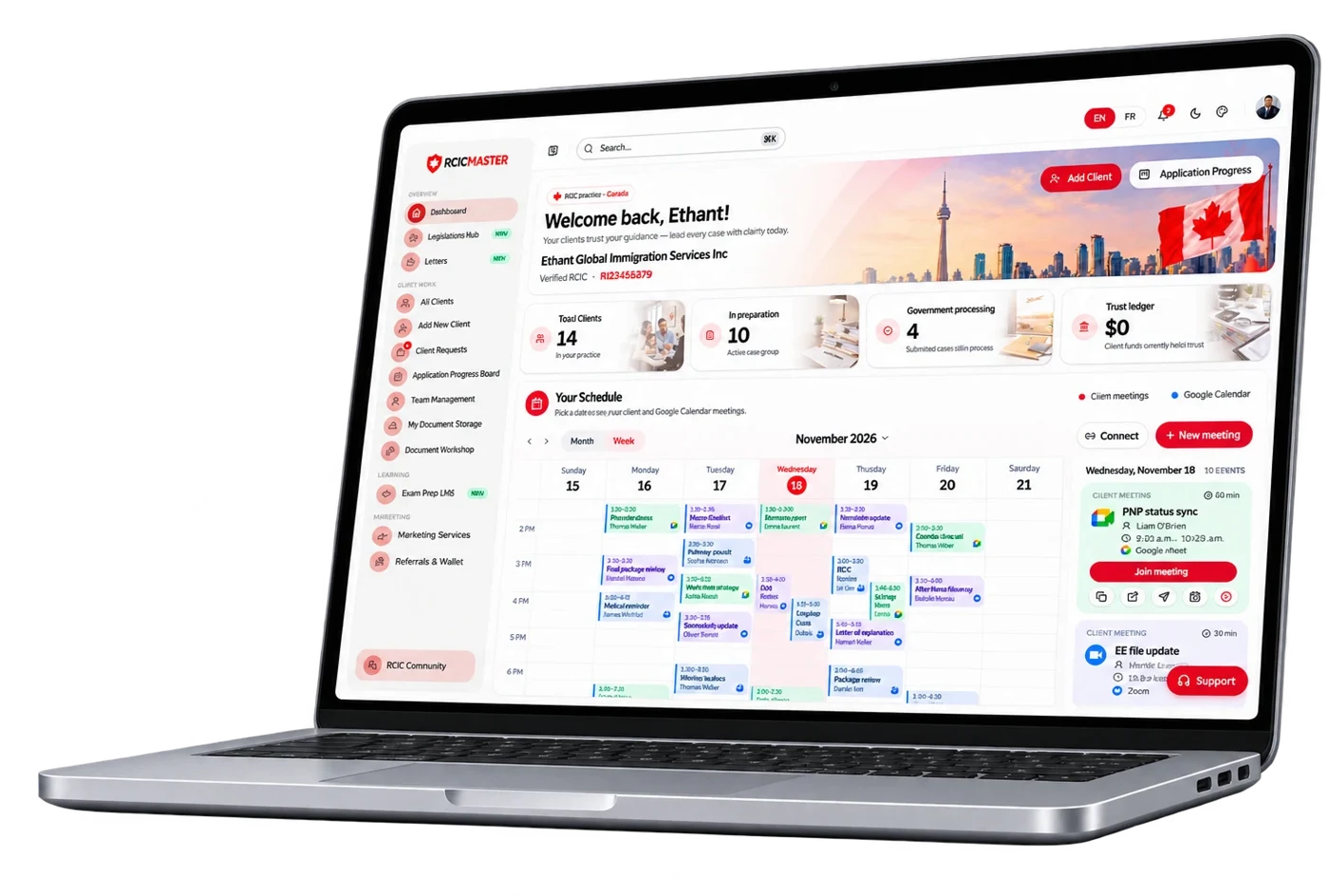
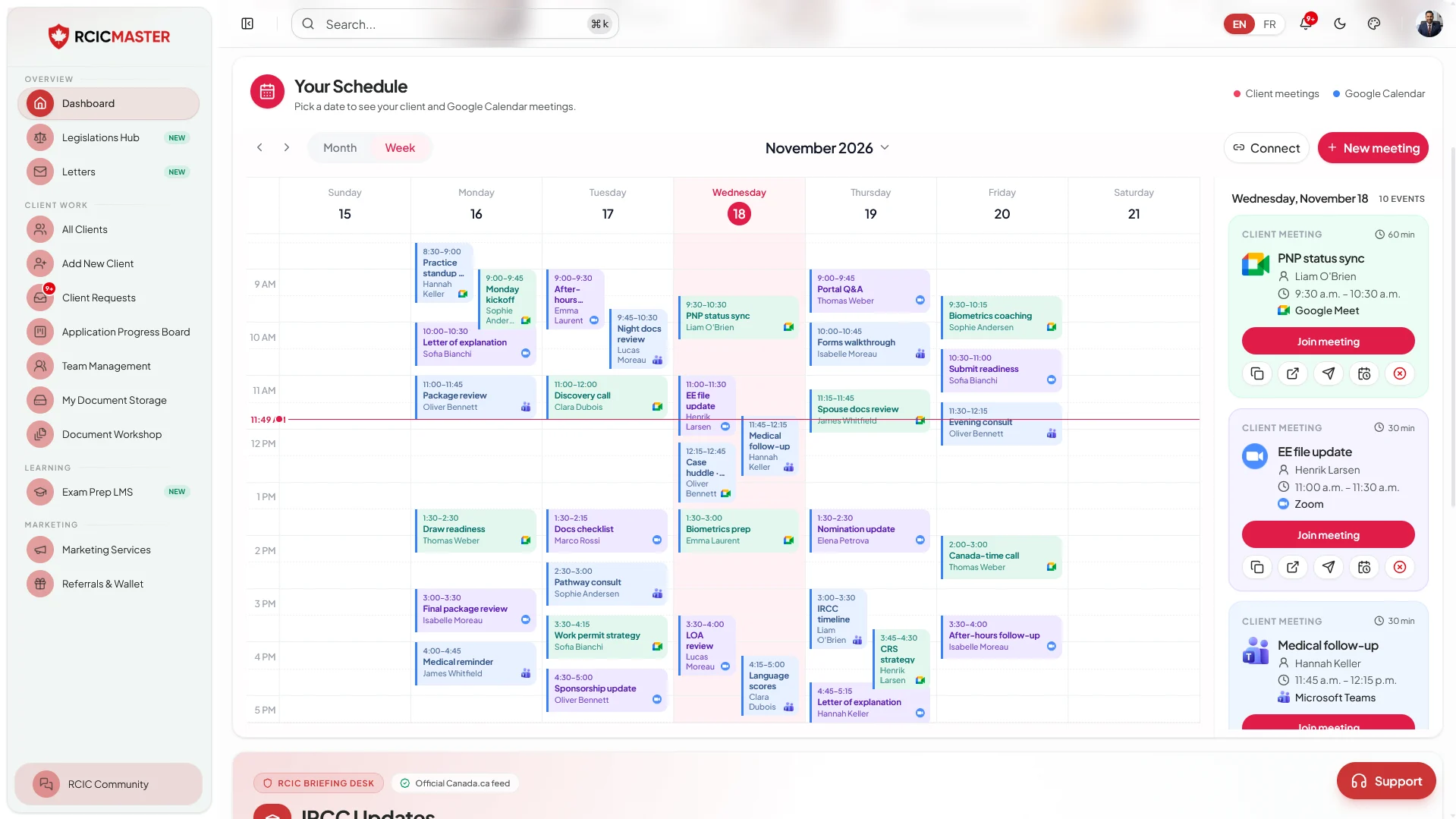
RCICMASTER schedules client meetings on Google Meet, Zoom or Microsoft Teams from the case workspace and emails the client a professional invite with the join link. The dashboard calendar shows client meetings, Google Calendar events, retainer-signed milestones and government request deadlines, such as biometrics or a medical exam, in month and week views.
Live in the product
Google syncedJoin a meeting or jump to the client's workspace from the Today panel.
Mon16
Tue17
Wed18
Thu19
Fri20
Client meetings, Google events and retainer milestones, colour-coded.
Schedule a Google Meet, Zoom or Microsoft Teams meeting from the client's workspace. The client receives a professional invite email with the join link, and the meeting lands on your calendar.
Google Meet, Zoom and Microsoft Teams. You choose your default platform.
Yes. With your Google account connected, each meeting becomes a Calendar event with its own Meet link, and your Google Calendar events show on the RCICMASTER calendar.
Client meetings, Google Calendar events, retainer-signed milestones and government request deadlines such as biometrics or a medical exam, in month and week views.
Clients receive a professional invite email with the join link, and meeting reminders can also go to their WhatsApp.
Ready to grow your practice?
Grow your practice with confidence. RCICMASTER gives you one secure place to run every file from first inquiry to final decision.