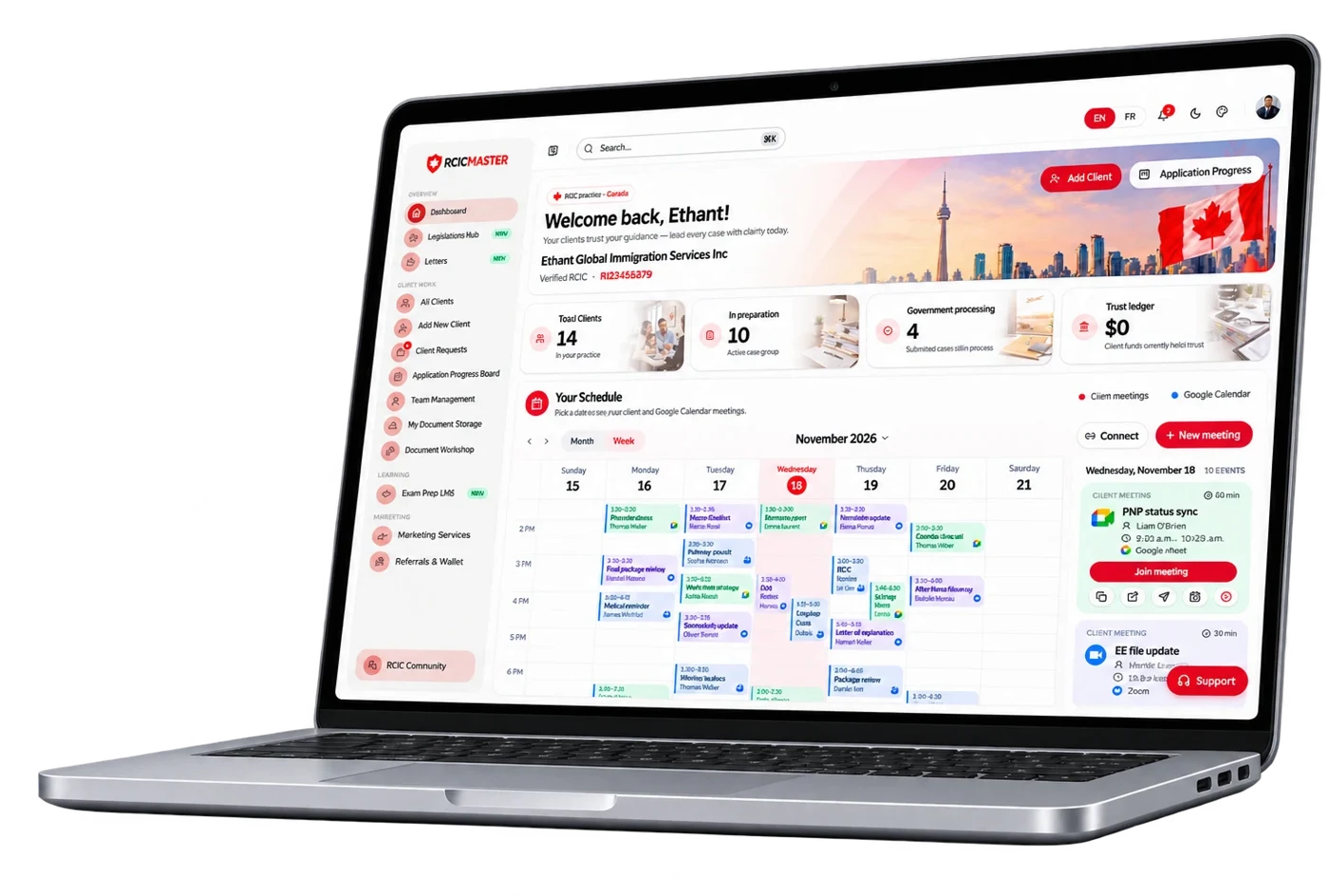

Case management
Every client and every case, in one place.
See all your clients in one table, give every case a five-stage workspace, and follow each file on the Application Progress Board, from retainer signed to application submitted.
 Watch demo
7-day free trial. Cancel anytime.
What it is
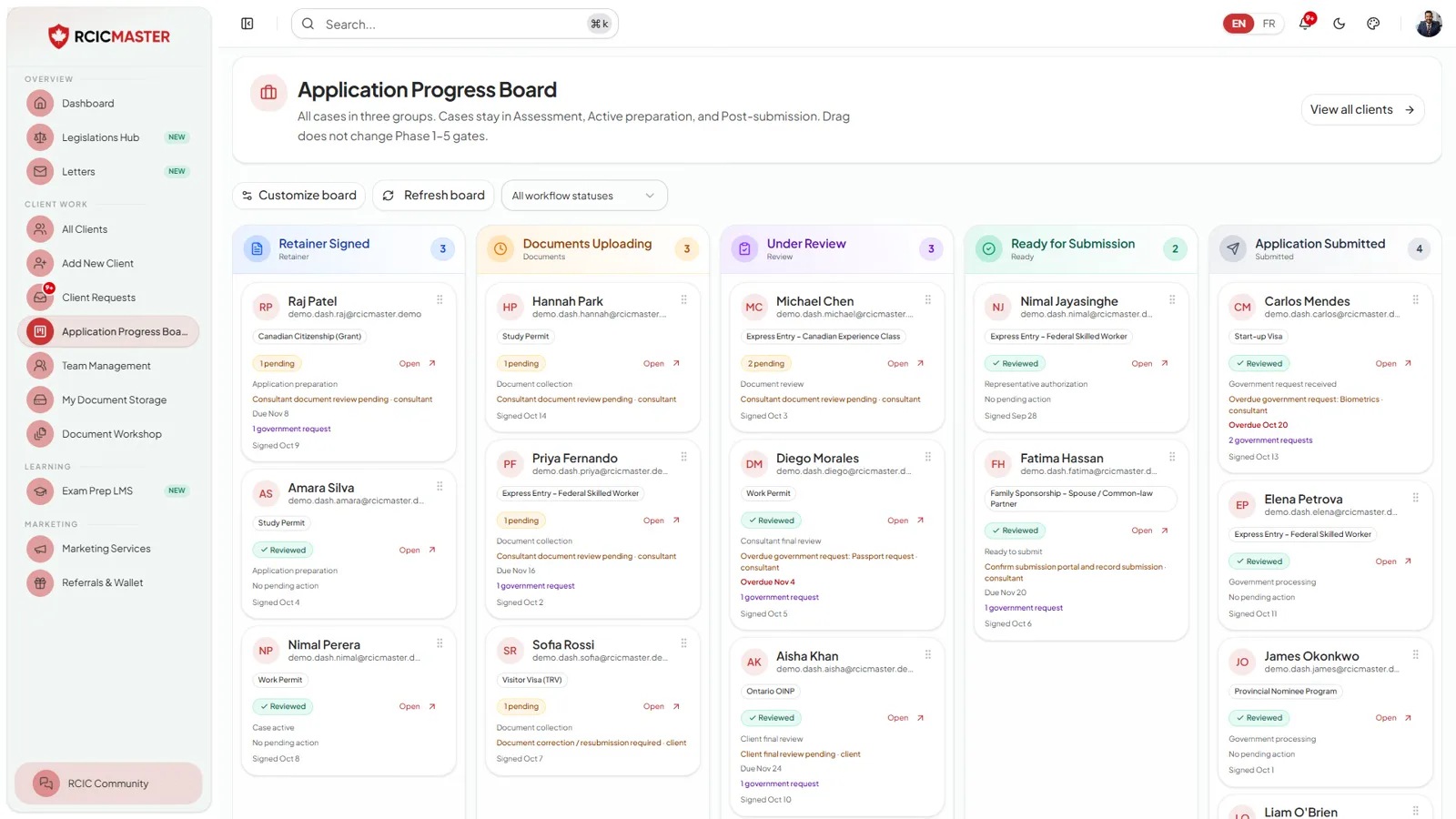
RCICMASTER case management gives a Regulated Canadian Immigration Consultant (RCIC) one place to run every immigration file. Each case follows five stages, Assessment, Engagement, Preparation, Submission and Post-submission, and the Application Progress Board shows every case by stage with its next action.
- All clients in one table, with list, grid and board views
- A five-stage journey for every case
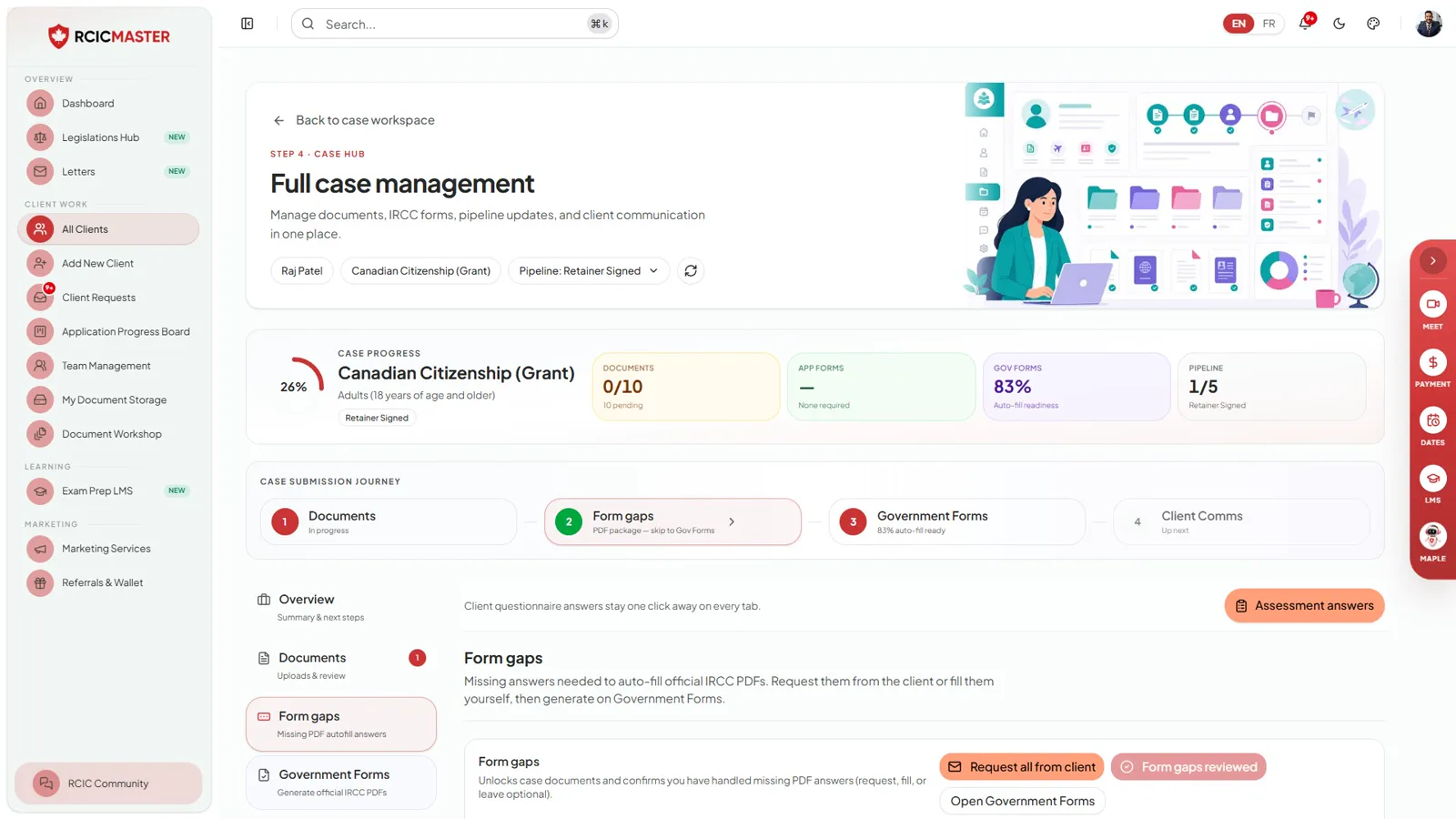
- A Case Hub for the technical work
- One board for every file and its next step
Inside the workspace
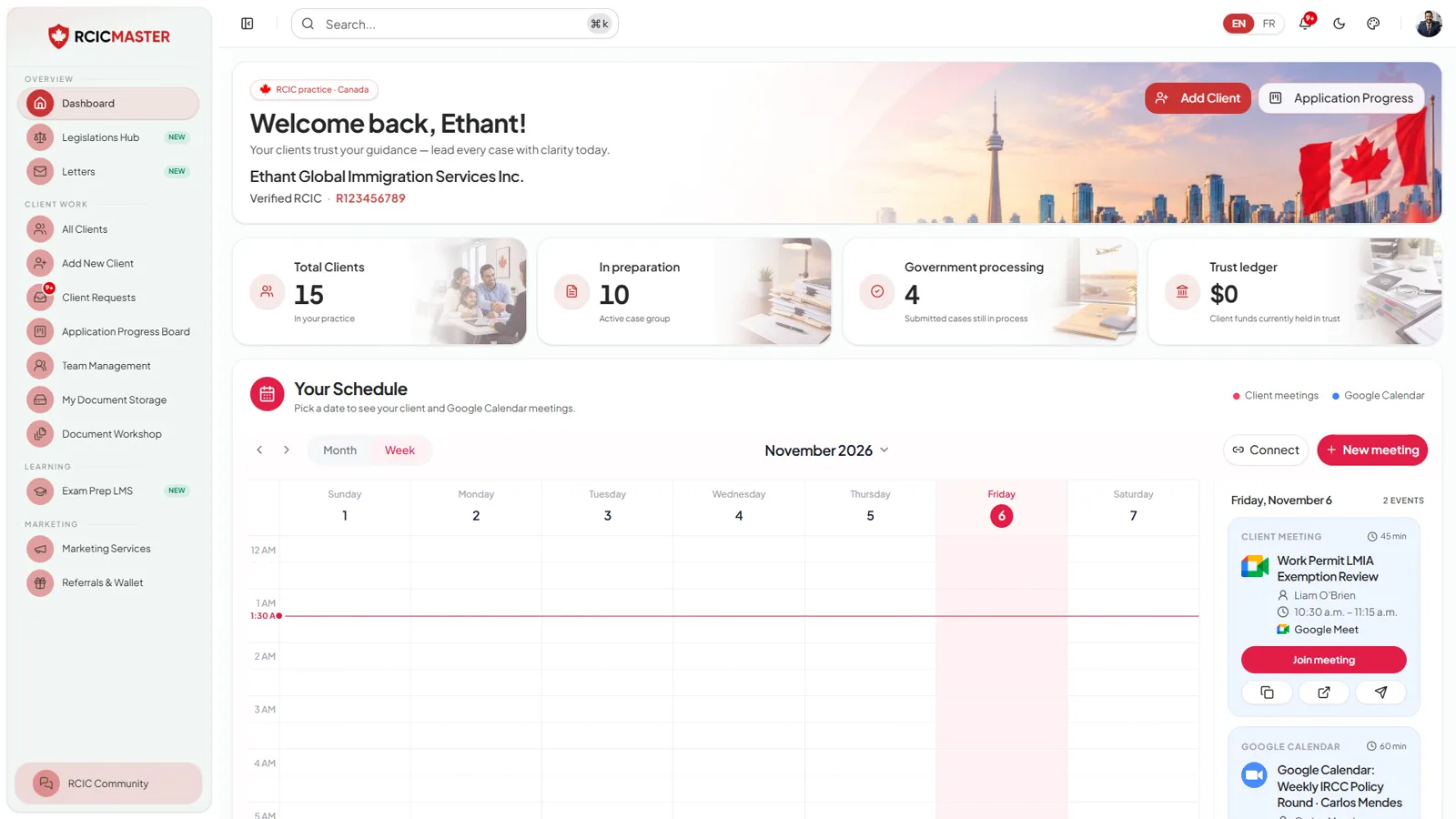
From your morning view to the last form

Built for RCICs
Spend the meeting on the client, not on the file
When every document, deadline and next step is already in the workspace, a consultation is about advice, not admin. The case journey shows the client exactly where they are.
- Client journey with dates for every milestone
- Several cases per client, only the active one in their portal
- Staff assigned to each case
How it works
From first inquiry to final decision
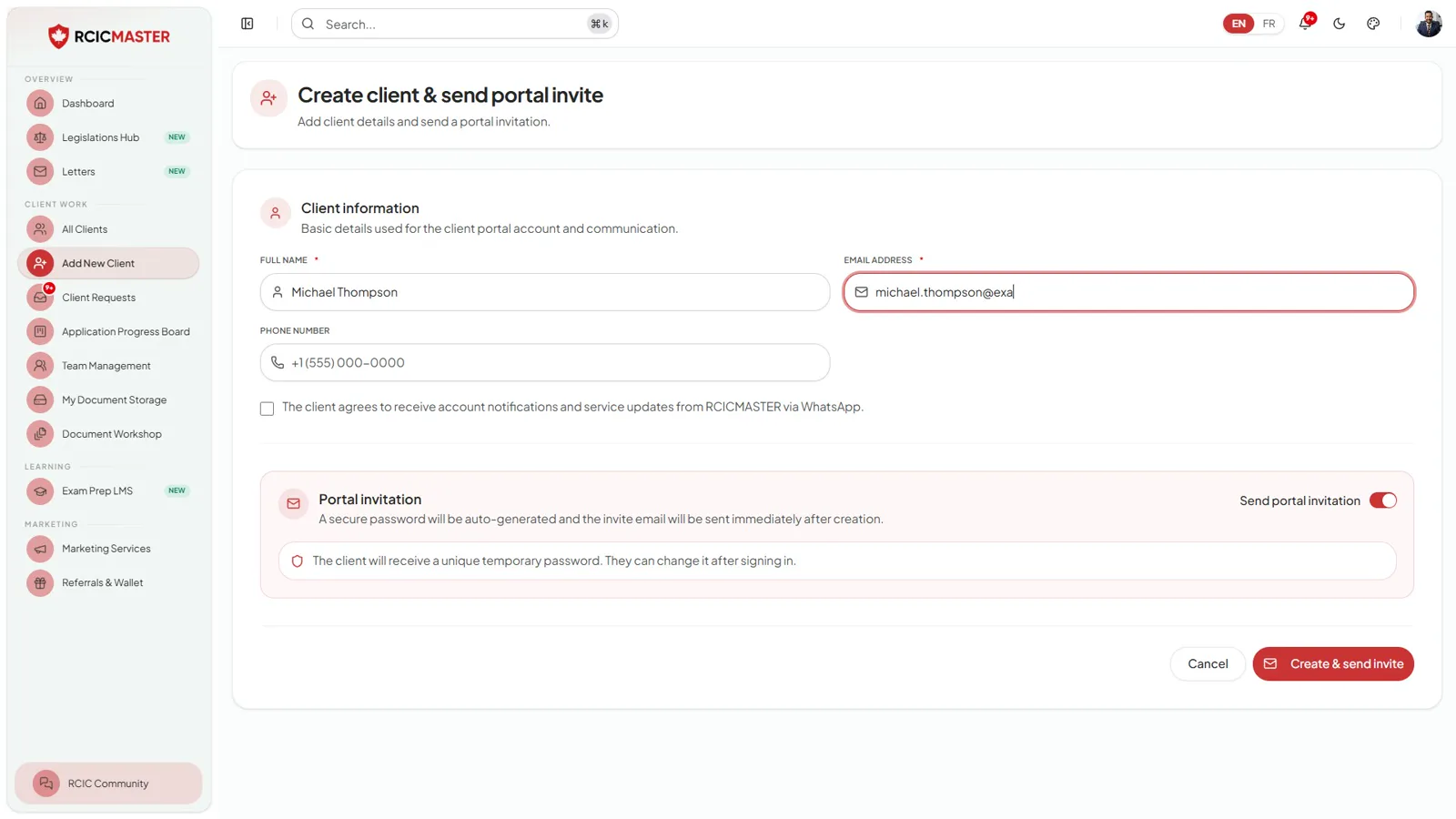
Add or accept the client
Add them yourself or accept a request from your contact pages.
Client completes intake
Questionnaire and documents arrive through the portal.
Prepare in the Case Hub
Approve documents, close form gaps, generate the IRCC forms.
Submit and follow up
Record the submission, then track requests and the decision.
What is RCIC case management software?
RCIC case management software gives a licensed immigration consultant one place to run every file. In RCICMASTER, each case follows five stages, Assessment, Engagement, Preparation, Submission and Post-submission, and the Application Progress Board shows every case by stage with its next action.
What is the Application Progress Board?
A board in RCICMASTER that shows every case by stage, from Retainer Signed to Documents Uploading, Under Review, Ready for Submission and Application Submitted. Each card shows the pathway, the current step, the next action and who owns it, government requests and overdue items.
What is the Case Hub?
The Case Hub is the technical workspace for one case. It shows overall progress, documents, form readiness and the pipeline at once, across seven tabs from overview to post-submission, and works out what to do next for you.
Which immigration pathways can I manage?
Express Entry (FSW, CEC), provincial nominee programs including the Ontario OINP, study permits, work permits, visitor visas (TRV), the Super Visa, spousal sponsorship, the Start-up Visa and Canadian citizenship.
Can one client have more than one case?
Yes. A client can have several cases in RCICMASTER. Only the active case shows in the client portal; opening a new case puts the others on hold.
Can my staff work on cases?
Yes. You assign staff to cases and choose what each person can do. Licensed decisions, such as confirming the final pathway and marking an application ready to submit, stay Consultant Only.
How do new clients get into RCICMASTER?
Add a client yourself, or accept a request from your white-label contact pages. The client gets a portal invite with a generated password, and their WhatsApp consent is captured at sign-up.
Ready to grow your practice?
Save time. Stay organized.
Deliver better outcomes.
Grow your practice with confidence. RCICMASTER gives you one secure place to run every file from first inquiry to final decision.