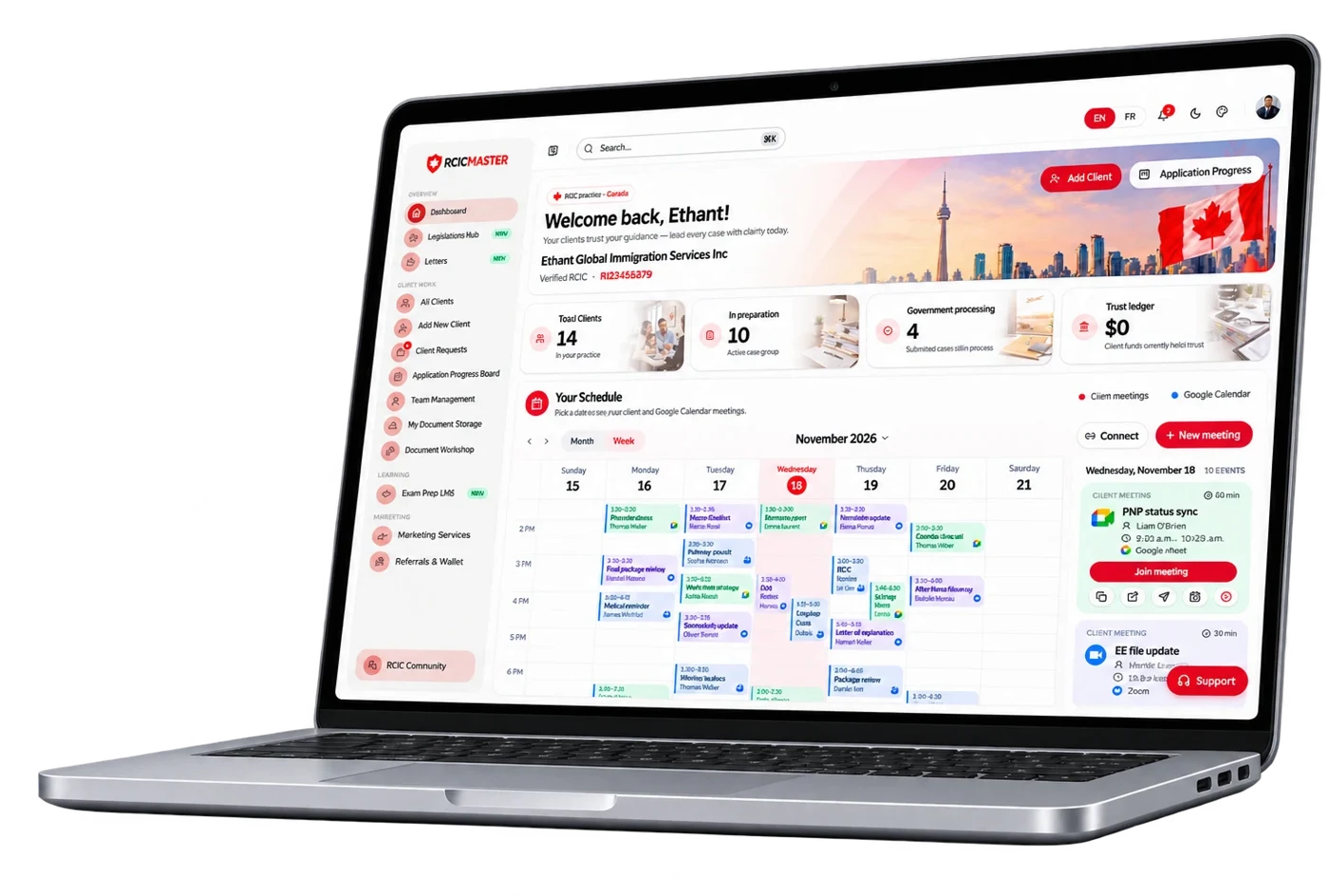

Client portal
A secure portal your clients actually use.
Invite clients in one step. They fill in questionnaires, upload documents, sign the retainer, pay requests and message you, in a portal that shows your logo and firm name.
 Watch demo
7-day free trial. Cancel anytime.
What it is
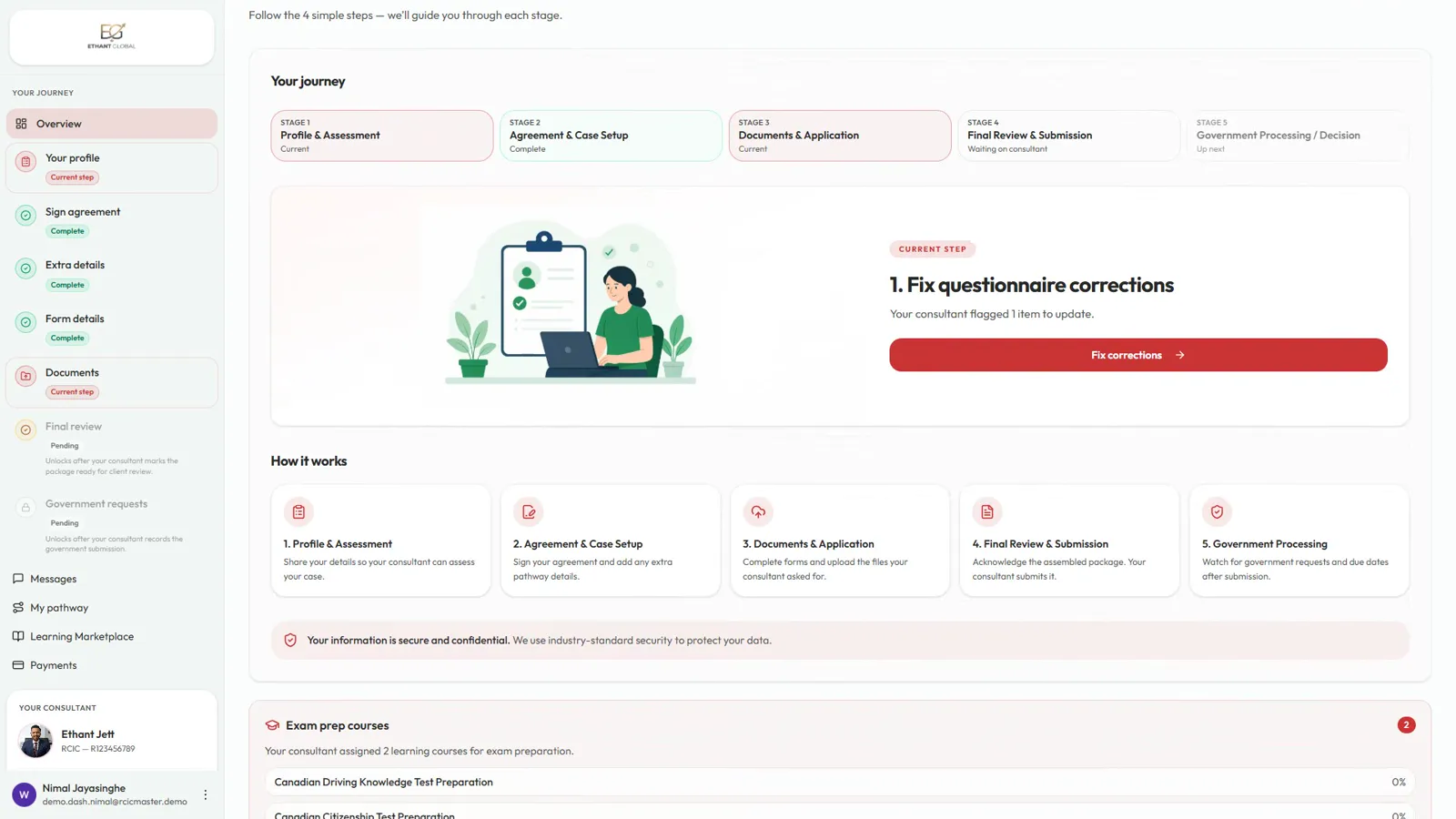
The RCICMASTER client portal is a white-label workspace for each client of an RCIC. Clients complete questionnaires, upload documents (passport details are filled in automatically), sign agreements, pay payment requests, take assigned courses and message their consultant, under the consultant's branding.
- Your branding, not ours
- Uploads with auto-fill
- Agreements signed online
- Updates on WhatsApp, with consent
The client's side
Everything a client needs, nothing they don't
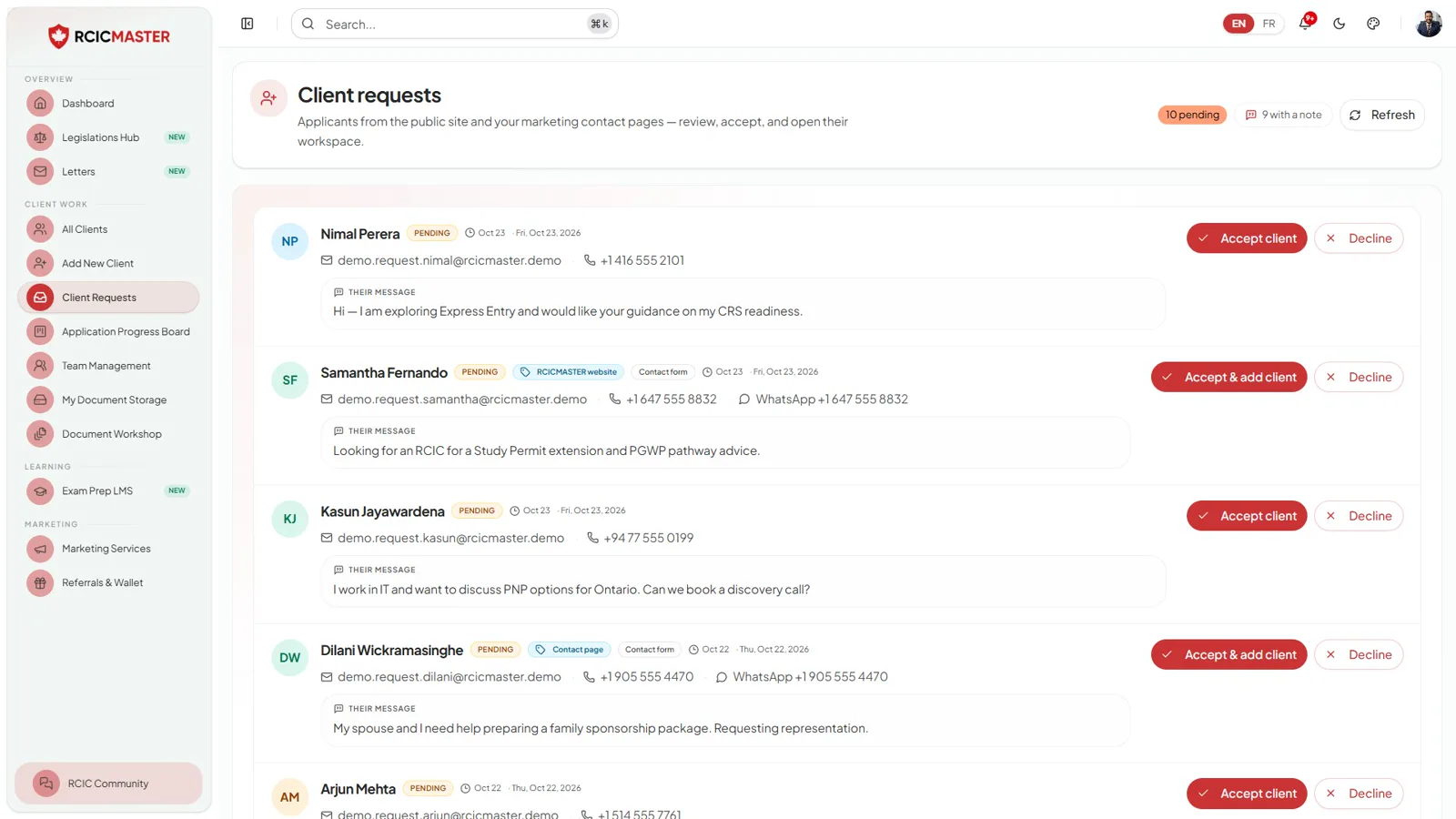
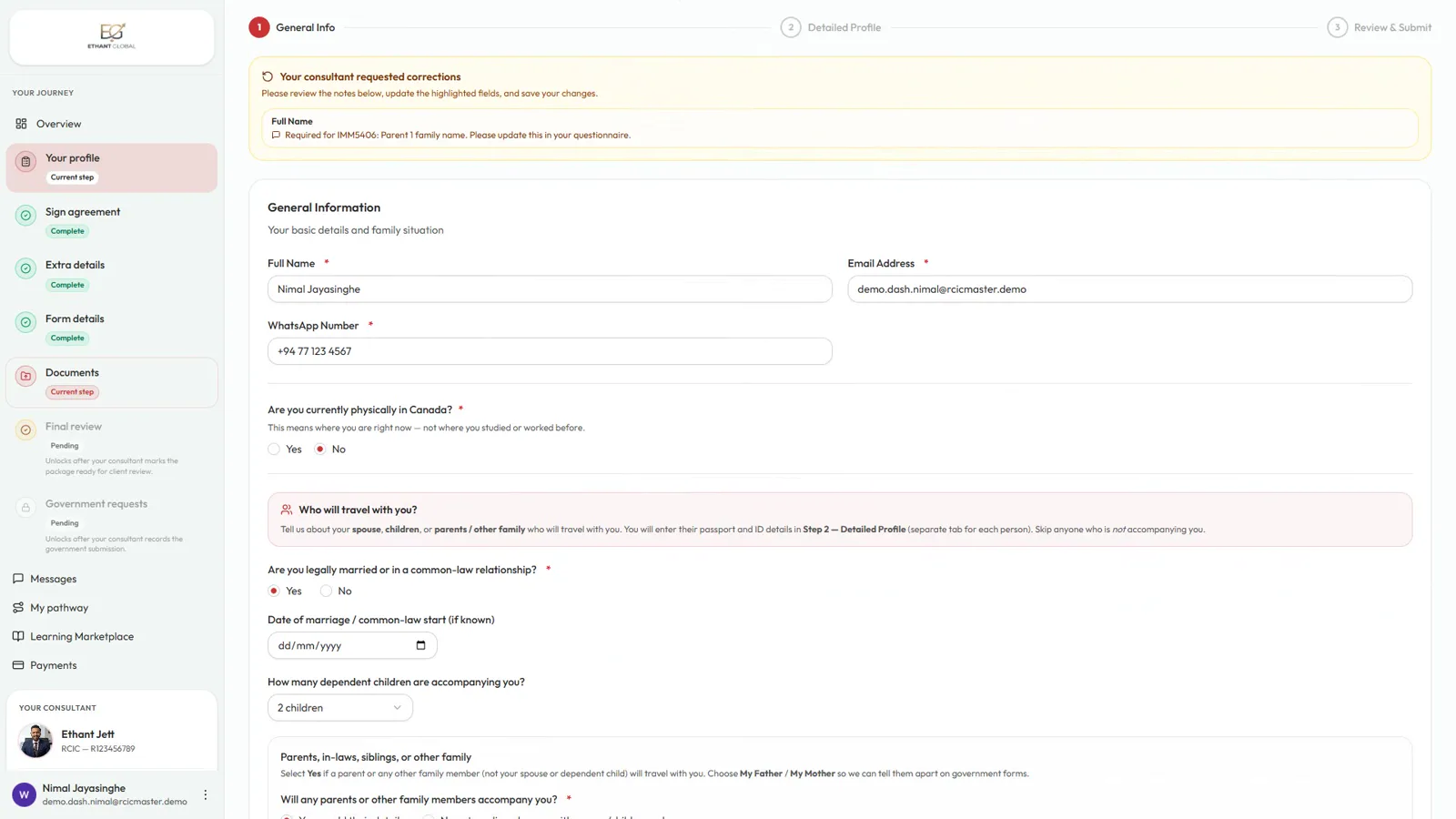

Fewer “what's next?” calls
Clients always know where their file stands
From the airport gate to the final decision, your client sees the next step, gets reminders on WhatsApp and never has to dig through email threads.
- Reminders for questionnaires, documents, payments and meetings
- Status changes sent automatically
- Messages kept with the case
Connected
Works with the apps your clients already use
Updates, payments and meetings use tools your clients know.
 Google Meet
 Zoom
 Microsoft Teams
 Stripe
 PayPalInteracInterac e-Transfer
 WhatsApp
What is a white-label client portal for immigration consultants?
It is a secure workspace where each client works with their consultant under the consultant's branding. In RCICMASTER, clients see your logo and firm name, never RCICMASTER's, while they complete questionnaires, upload documents, sign, pay and message you.
What can clients do in the RCICMASTER portal?
Clients complete questionnaires, upload documents against a checklist, sign the retainer, pay payment requests, take courses you assign and message you securely, with their progress shown step by step.
Are passport details filled in automatically?
Yes. When a client uploads a passport in the RCICMASTER portal, its details are filled in for them, so they type less and make fewer mistakes.
Do clients have to log in to get updates?
No. Reminders and status changes can go straight to the client's WhatsApp, with their consent, as well as by email. They log in when there is something to fill in, upload, sign or pay.
How do new inquiries reach the portal?
White-label contact pages for each channel, such as LinkedIn, a Facebook ad or your website, feed one Client requests list labelled by source. Accept a request to open the client's workspace.
Can a client see all of their cases?
The RCICMASTER portal shows the client's active case. When you open a new case, the others are put on hold.
Which languages does the portal support?
English and French. You choose the portal's default language in your settings.
Ready to grow your practice?
Save time. Stay organized.
Deliver better outcomes.
Grow your practice with confidence. RCICMASTER gives you one secure place to run every file from first inquiry to final decision.