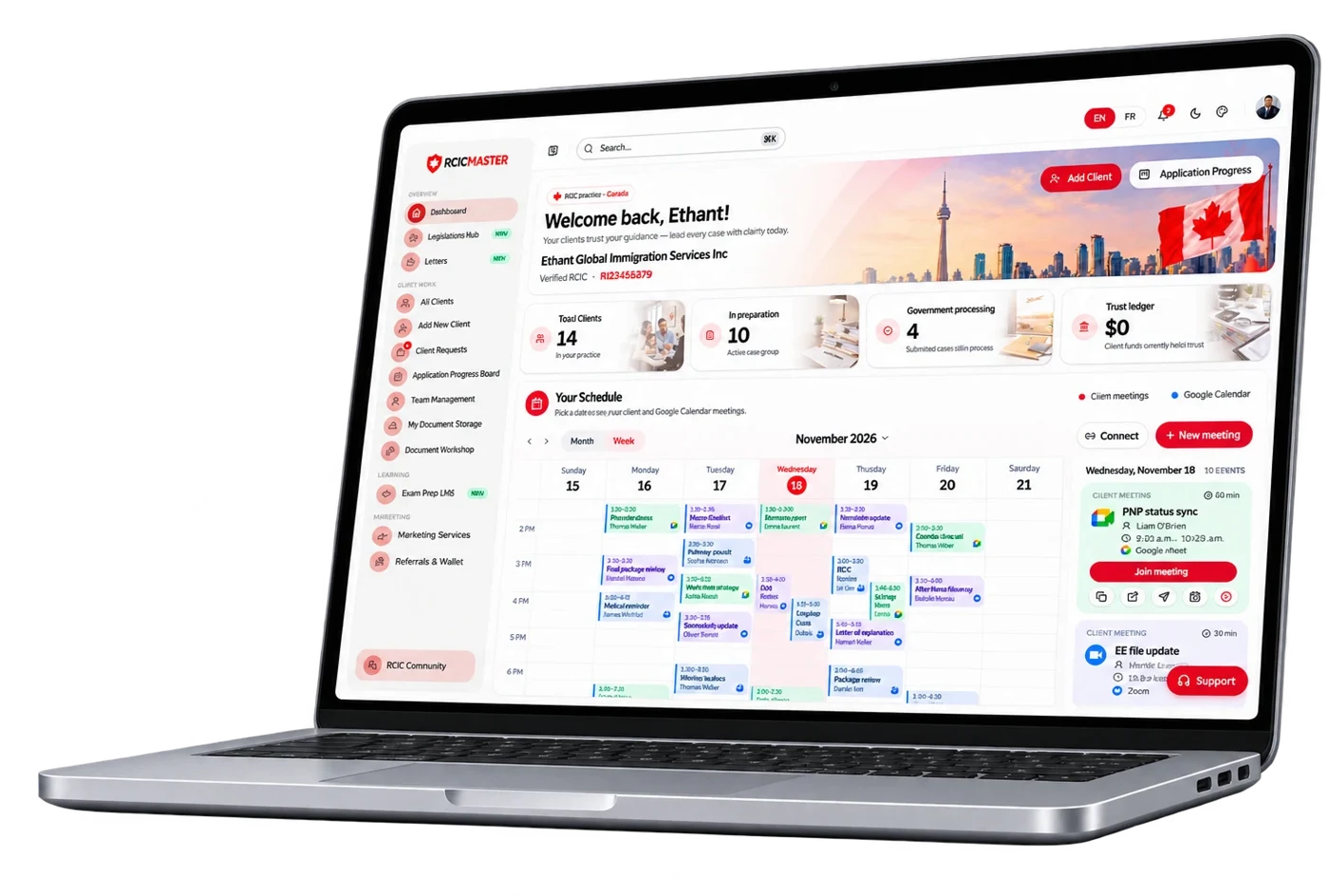

Team & roles
Give every role the right access.
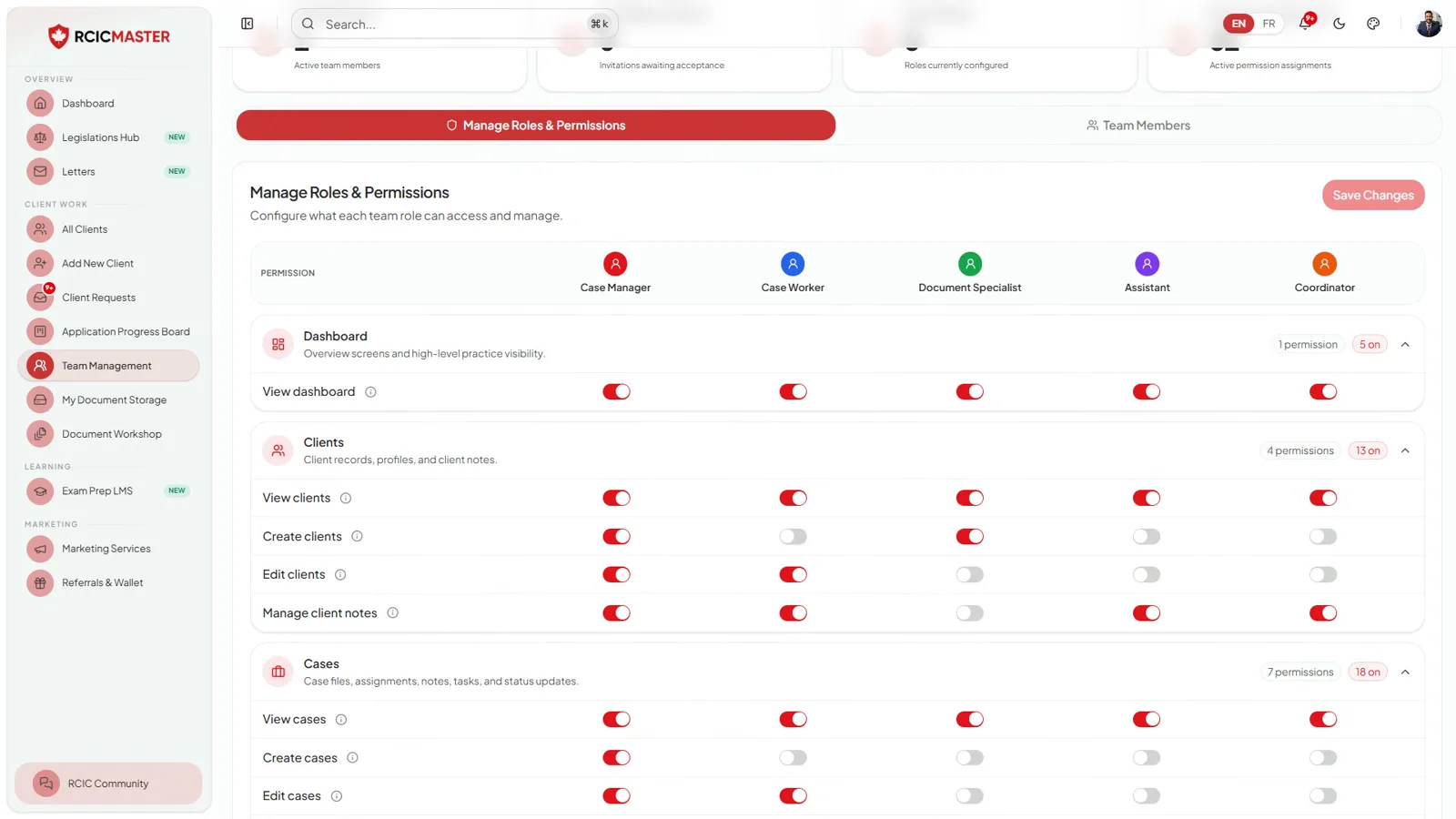
Invite case managers, case workers, document specialists, assistants and coordinators. Switch over 40 permissions on or off, and keep licensed decisions with you.
 Watch demo
7-day free trial. Cancel anytime.
0+permissions you control
0preset roles to start from
0decisions kept with you
0Team Management tabs
Control
Delegate the work, not the licence
Roles & permissions 40+ permissions
| Case manager | Case worker | Assistant | |
|---|---|---|---|
| View clients | |||
| Request documents | |||
| Prepare forms | |||
| Update case status | |||
| Confirm pathway | You | You | You |
Team members 5 preset roles
Sophie A. · Case Manager
Daniel K. · Case Worker
Lucas M. · Document Specialist
Clara D. · Assistant
Invitation sent

For growing firms
More hands on the work, one licence in charge
Bring in staff for the document chasing, form preparation and scheduling, while the licensed decisions stay with you by design.
- Access scope such as assigned cases only
- Activity log of what changed and who changed it
- Pending invitations tracked
Consultant Only
Decisions that stay with the licensed RCIC
These can't be delegated to staff, whatever their permissions.
Final questionnaire verification
Final pathway confirmation
Official document verification, approval or rejection
Official form review
Final sign-off and ready-to-submit
Recording the submission
Post-submission decision and closing the case
Sending the retainer with your digital signature
Subscription, referrals, wallet and team management
How do I give immigration staff the right access?
In RCICMASTER, invite each person with a job title, a preset role and an access scope, then switch over 40 permissions on or off by area: clients, cases, documents, forms, calendar and more.
Which preset roles are available?
Case Manager, Case Worker, Document Specialist, Assistant and Coordinator. Each preset is a starting point you can adjust.
Can staff confirm a client's pathway?
No. Final pathway confirmation is a Consultant Only action, along with other licensed decisions such as approving official documents and marking a file ready to submit.
Can I limit a staff member to certain cases?
Yes. Set the access scope when you invite them, for example to the cases assigned to them.
Is there an activity log?
Yes. The Activity tab in Team Management records what happens across your team, so you can see who did what and when.
Ready to grow your practice?
Save time. Stay organized.
Deliver better outcomes.
Grow your practice with confidence. RCICMASTER gives you one secure place to run every file from first inquiry to final decision.